GaitXR
XR Tool for Gait Training. Enhancing the quality of life for elderly citizens.
Walking activities guided by augmented reality markers placed along a route, with a session record the professional can download and compare over time.
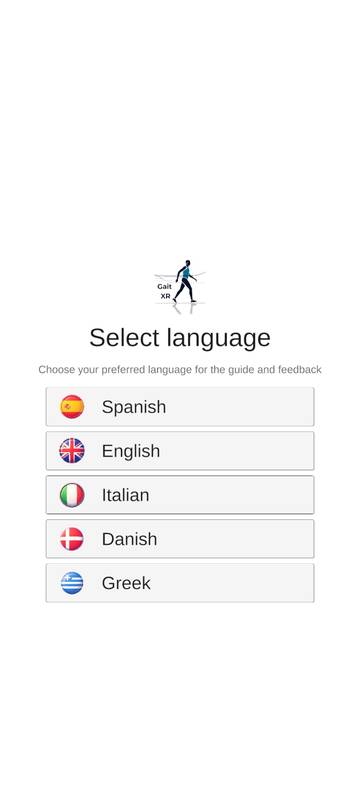
The app is available in Spanish, English, Italian, Danish and Greek.
Installing the GaitXR app
GaitXR is distributed as an APK file outside Google Play, so Android treats it as an app from an unknown source. That is expected. These are the screens you will see, from the download to the first launch. It takes about three minutes and needs Android 8.0 or later.
https://www.kayrosdi.com/apks/gaitxr.apk
Download APK
Before you start. Open this page on the phone itself, ideally in Chrome. Screens follow stock Android 13 to 16; Samsung, Xiaomi and other brands use different colors and slightly different wording, but the same choices appear in the same order. You will be asked to allow installs from your browser or file manager; you can switch that off again when you are done.
-
Open the link and confirm the download
Tap Download APK. The download starts straight away, and Chrome warns about it. Chrome shows this warning for every APK file, whoever made it. It does not mean anything was found in the file.
- Tap Download anyway.
- On some phones this appears as a small bar at the bottom of the screen instead of a dialog. The button is the same.
10:24File might be harmful
This type of file can harm your device. Do you want to download gaitxr.apk anyway?
CancelDownload anyway -
Open the downloaded file
When the download finishes, Chrome shows a short message at the bottom of the screen.
- Tap Open.
- Missed it? Pull down the notification shade and tap the finished download, or open the Files app, go to Downloads and tap gaitxr.apk.
10:25APKgaitxr.apkDownload complete
gaitxr.apkOpen -
Android blocks the install. Go to Settings
The first time you install an APK from Chrome or from your file manager, Android stops and explains that this source is not allowed yet. This is the "unknown sources" protection.
- Tap Settings in this dialog. Do not tap Cancel.
The source named on the next screen is the app that opened the APK: Chrome, Files or My Files (Samsung).
10:25!For your security, your phone currently isn't allowed to install unknown apps from this source. You can change this in Settings.
CancelSettings -
Allow installs from this source
Settings opens on the Install unknown apps page for the app you used (Chrome in this example).
- Turn on Allow from this source.
- Tap the back arrow or swipe back. Android returns you to the installer.
You can find this page later in Settings → Apps → Special app access → Install unknown apps. On Samsung it is under Settings → Apps → ⋮ → Special access.
10:25ChromeBrowserAllow from this sourceYour phone and personal data are more vulnerable to attack by unknown apps. By installing apps from this source, you agree that you are responsible for any damage to your phone or loss of data that may result from their use.
-
Install the app
Back in the installer, Android asks for a final confirmation.
- Tap Install.
- If an earlier version of GaitXR is already installed, the question reads "Do you want to update this app?" and the button says Update.
10:26GaitXRDo you want to install this app?
CancelInstall -
May appear
Handle the Play Protect check
Google Play Protect scans apps that do not come from Play. Because GaitXR is not published in the store, Play Protect may not recognise it and will ask what to do. You will see one of these versions:
- App scan recommended: tap Scan app. The scan takes a few seconds and then lets you install. Install without scanning also works.
- Blocked by Play Protect or Unsafe app blocked: tap More details, then Install anyway.
If nothing like this appears, go straight to the next step.
10:26App scan recommended
Play Protect hasn't seen this app before. Scanning helps check it for harmful behaviour.
Scan appInstall without scanning -
Open GaitXR
After a few seconds Android shows App installed.
- Tap Open. GaitXR also appears in your app drawer.
- The first time it opens, the app may ask for permissions such as the camera, which it needs to see the markers. Allow them.
- Optional but recommended: go back to Install unknown apps and turn Allow from this source off again. GaitXR stays installed; only future APK installs from Chrome will be blocked.
10:27GaitXRApp installed.
DoneOpen
If something goes wrong
- "App not installed" or "package conflicts with an existing package"
- An older copy of GaitXR signed with a different key is already on the phone. Uninstall it (long-press the icon → App info → Uninstall) and install the new APK again.
- "There was a problem parsing the package"
- The download was interrupted or the phone runs an Android version older than the app supports. Delete the file from Downloads, download it again over Wi-Fi, and check Settings → About phone → Android version.
- The file downloads as .zip or .bin, or opens a page of strange text
- Try again in Chrome. If the file name does not end in .apk, rename it to gaitxr.apk in the Files app before opening it.
- Nothing happens when I tap the downloaded file
- Open it from the Files app instead (Files → Downloads → gaitxr.apk). Android will then ask to allow installs from Files, which works the same way as step 4.
- A message says the app comes from an unverified developer
- Google is rolling out developer verification for apps installed outside Play, starting in some countries in late 2026 and expanding in 2027. Use the web version in the meantime and contact the project team for an updated build.
How a session starts
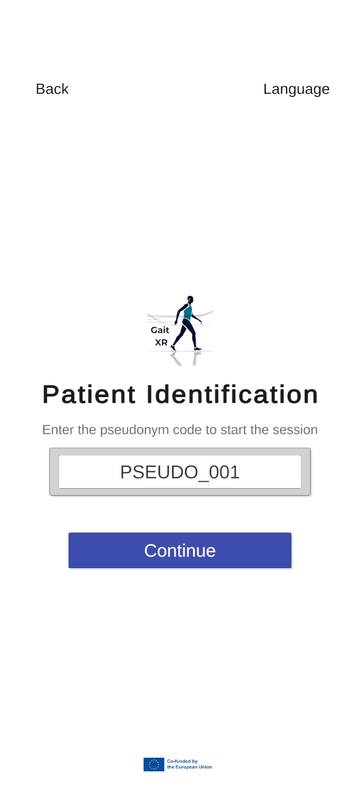
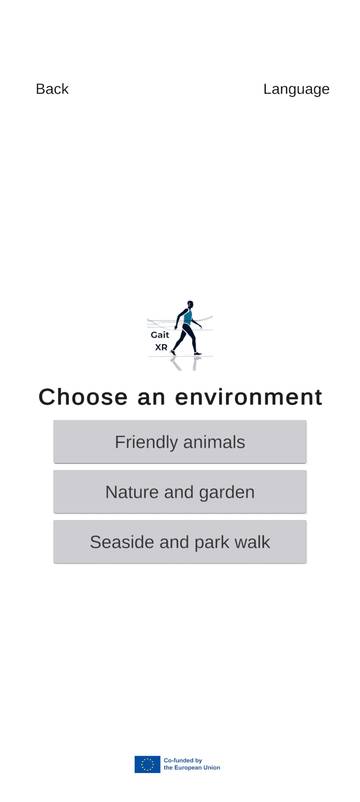
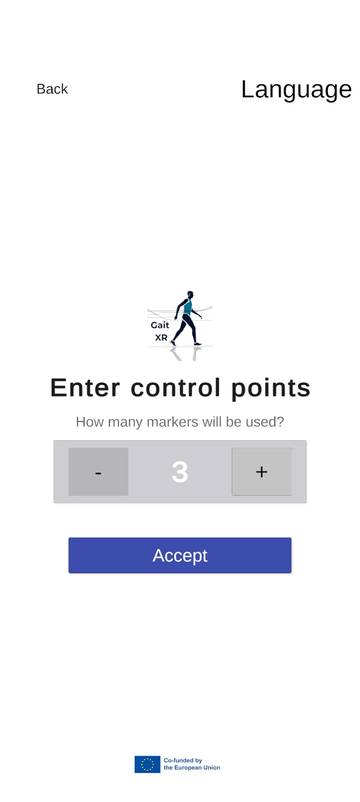
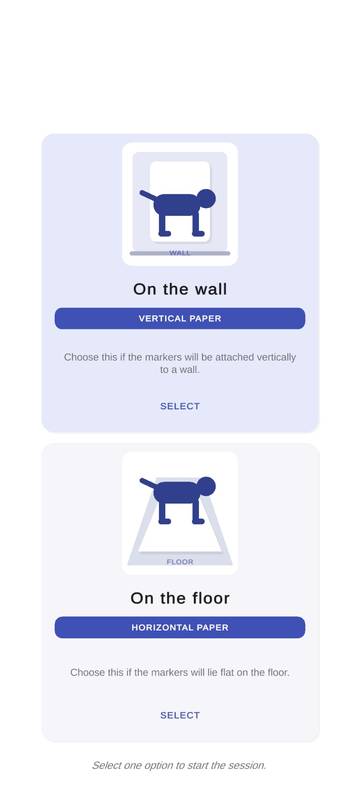
Each session is linked to a pseudonym code, never to the patient's name. After choosing the environment, the number of markers and how they are placed, the walk begins.
Android app
Install the APK on the phone or tablet that will be used during the walk.
Download gaitxr.apk Back to the installation guideThe 20 AR markers
GaitXR recognises 20 printed markers, also called trackers. Place them along the walking route; in each session you choose how many of them are used.
Personalised template
Word document with the 20 markers and an empty space under each one. Paste a photo that matters to the person, such as family members, a pet or a familiar place, so each stop on the walk is more engaging.
Download Word templateSession data collector
Follow the activity of each patient. Enter the patient's pseudonym code to download the session data and compare it with previous sessions.
https://gaitxr-data.kayrosdi.com/
Open the data collector
Example patient ID: PSEUDO_001. Use the same code in the app and in the data collector.
How to prepare a learning path scenario
The professional creates one or more usage sessions and schedules them with the patient. Each session is a circuit the patient walks, passing a series of control points. Every control point is a printed tracker, and a route can have from 3 to 20 of them.
Plan the sessions
Decide how many sessions the patient will do and when, and schedule them together. Each session can repeat the same circuit or use a new one.
Keep your own patient ID list
Each patient needs a unique pseudonym code, such as PSEUDO_001. Keep the list that links codes to real people outside GaitXR: a spreadsheet, a Word document or a sheet of paper. GaitXR is designed so that no personal patient information is stored in the system, only the code.
Place the trackers along the route
Print the trackers and distribute between 3 and 20 of them along the circuit, either all flat on the floor or all on walls or other vertical surfaces.
Start the app
On the device, go through the setup screens shown in the app section:
- Patient identification: enter the patient's code.
- Choose an environment: the 3D objects that appear on the trackers, from friendly animals, nature and garden, or seaside and park walk.
- Enter control points: the number of trackers on your route.
- Marker placement: floor or wall, matching how you placed the trackers.
Design the activity
The rest is up to the professional's creativity. The app can run on several devices at once to set up a friendly competition between patients, or on a single device for an individual session with one patient. How the patient moves between trackers is also open: walking forwards, stepping sideways, or any other movement that fits the therapy goals.
To see these dynamics in practice, watch the videos in the next section.
See GaitXR in use
GaitXR on YouTube
Every GaitXR video in one playlist: the app working, the platform for professionals and all the demonstrations.
Open the playlist on YouTube